In today’s international travel environment, a “digital-first” approach has transformed the way we secure entry into foreign countries. The days of standing in line at a brick-and-mortar bank to get a stamped physical passport booklet are quickly fading. Today, e-visas have become standard in major destinations around the world, from the tech hubs of Southeast Asia to the streamlined entry systems of Europe’s Schengen Area.
However, this digital convenience comes with a new level of responsibility. One of the most important and closely scrutinized components of an e-visa application is proof of funds. Immigration officers use these documents to ensure that you can support yourself without seeking illegal employment. However, submitting sensitive financial information online carries inherent risks.
How can you legally submit digital bank statements to a visa officer while protecting them from cyber threats? This guide explores the intersection of travel bureaucracy and digital security in 2026.
1. Why are digital bank statements being scrutinized
A bank statement is more than just a balance sheet; it’s a behavioral profile. Visa officers look for financial strength, which is defined by three key indicators:
- Capacity: Do you have enough funds to pay for your trip?
- Stability: Has this money been in your account for 3-6 months, or did it appear to be a single payment right before you applied?
- Authenticity: Is the document a genuine export from a regulated financial institution, or has it been digitally altered?
Because digital PDFs are easier to manipulate than stamped paper, many embassies are now using digital forensics to check for metadata changes. Accurate reporting is no longer just about the numbers, but also about the integrity of the file itself.
2. Golden Rules for Filing
To ensure that your digital bank statements are accepted promptly, follow these industry-standard formatting rules:
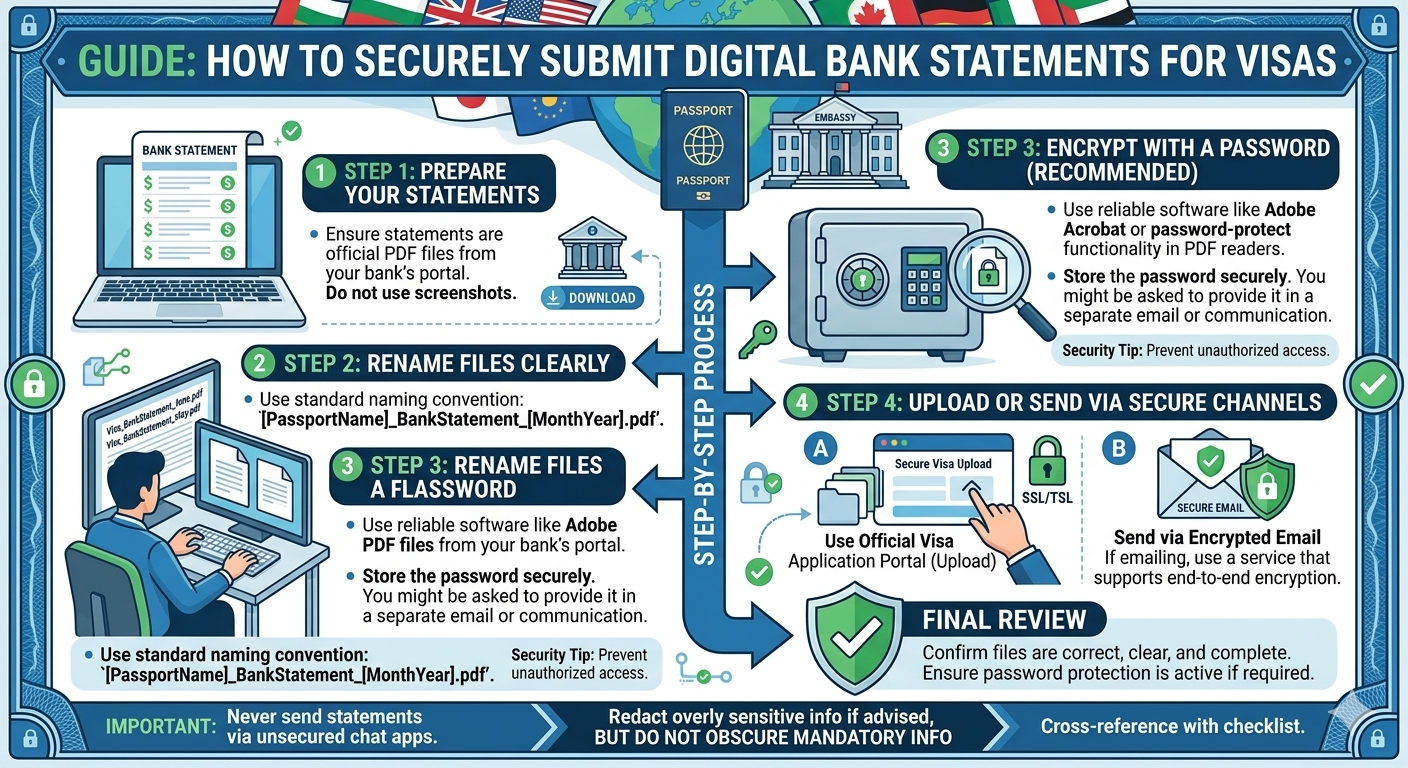
A. Upload, don’t capture
Never upload a screenshot of your bank’s app. Screenshots do not contain the official bank logo, account holder details, and the official structure required for legal verification. Always log in to your online portal (not just the mobile app) and use the “Export as PDF” or “Download Report” feature. This will generate a high-resolution, multi-page document with your bank’s header and footer.
B. 6-Month Average
Most eVisa systems (including those in Canada, the UK, and Australia) require a transaction history for the past 3-6 months. A common mistake is to only submit the “Summary” page. Officials want to see the flow of transactions. If you have a large deposit, be prepared to attach an “Explanatory Letter” or supporting documents (such as a pay stub or purchase agreement) to verify the source of these funds.
C. Keep your report up-to-date
A report generated two months ago is considered “out of date.” Most government agencies require that your report be generated at least 7-31 days before the application date. Make sure your closing balance is as current as possible.
3. Security First: How to Share Financial Data Safely
Sharing your entire transaction history means that your account numbers, address, and spending habits are sent to a government database. To protect yourself, follow these security protocols:
Only use official government portals.
Avoid third-party “visa help” sites that ask you to email your bank statements to a generic Gmail or Yahoo address. Upload confidential documents only directly to the official .gov or .org portals of your destination country. These portals typically use AES-256 encryption to protect the data you submit.
Password Protection and e-Visas
While it may seem safe to password-protect a PDF file before uploading it, don’t do it. Visa processing systems are typically automated; if an officer can’t open the file because it’s locked, your application will be rejected or delayed. Instead, rely on the security of the upload portal itself.
Removing Confidential (But Not Necessary) Information
If visa regulations allow, you can sometimes hide (omit) the middle digits of an account number. However, never redact transaction amounts, dates, or your name. If a document looks heavily censored, it will be flagged for fraud.
4. Dealing with Digital-Only Banks (Neobanks)
If you use a digital-only bank you might worry that “online-only” statements won’t be accepted. In 2026, major embassies have updated their policies to recognize regulated neobanks.
-
Tip: If your digital bank offers a “Digital Stamp” or a QR code for verification, make sure it is visible on the PDF.
-
Verification Codes: Some banks provide a unique URL or code at the bottom of the statement that allows a third party to verify the balance’s authenticity without seeing your full history. Highlight this in your application.
5. Summary Table: Digital Statement Requirements by Region
| Region | Required Period | Specific Requirement |
| Schengen Area | 3 Months | Must show regular income/salary deposits. |
| United Kingdom | 6 Months | Scrutinizes “lump sum” deposits heavily. |
| Canada | 6 Months | Often requires a “Bank Letter” on official letterhead. |
| Southeast Asia | 1–3 Months | Focuses on a minimum closing balance (e.g., $1,500+). |
6. Checklist for a Successful Submission
Before you hit “Submit” on your e-Visa application, run through this final security and compliance checklist:
Direct Export: Is the file a PDF downloaded directly from the bank?
Full Name: Does the name on the statement match the name on your passport exactly?
Legibility: Is the resolution high enough to read the smallest transaction details?
No Alterations: Have you avoided using PDF editors to change any text?
Currency Conversion: If your funds are in a local currency, have you provided a brief note or used the portal’s built-in converter to show the equivalent in USD/EUR/GBP?
Conclusion
Securing an e-Visa in 2026 is a balancing act between transparency and privacy. By presenting high-quality, direct-export digital statements and using only official government channels, you satisfy the visa officer’s need for “financial proof” while keeping your digital footprint secure. Remember: a clean, well-organized financial history is often the difference between a “Visa Granted” notification and a frustrating request for more evidence.